
Create a Wallet
Understand addresses, seed phrases and private keys before creating a new wallet.
View steps →imtoken
Learn multi-chain asset management, network selection, sending and receiving, DApp connections, token approvals, blockchain concepts and wallet security through a clear, verifiable workflow.
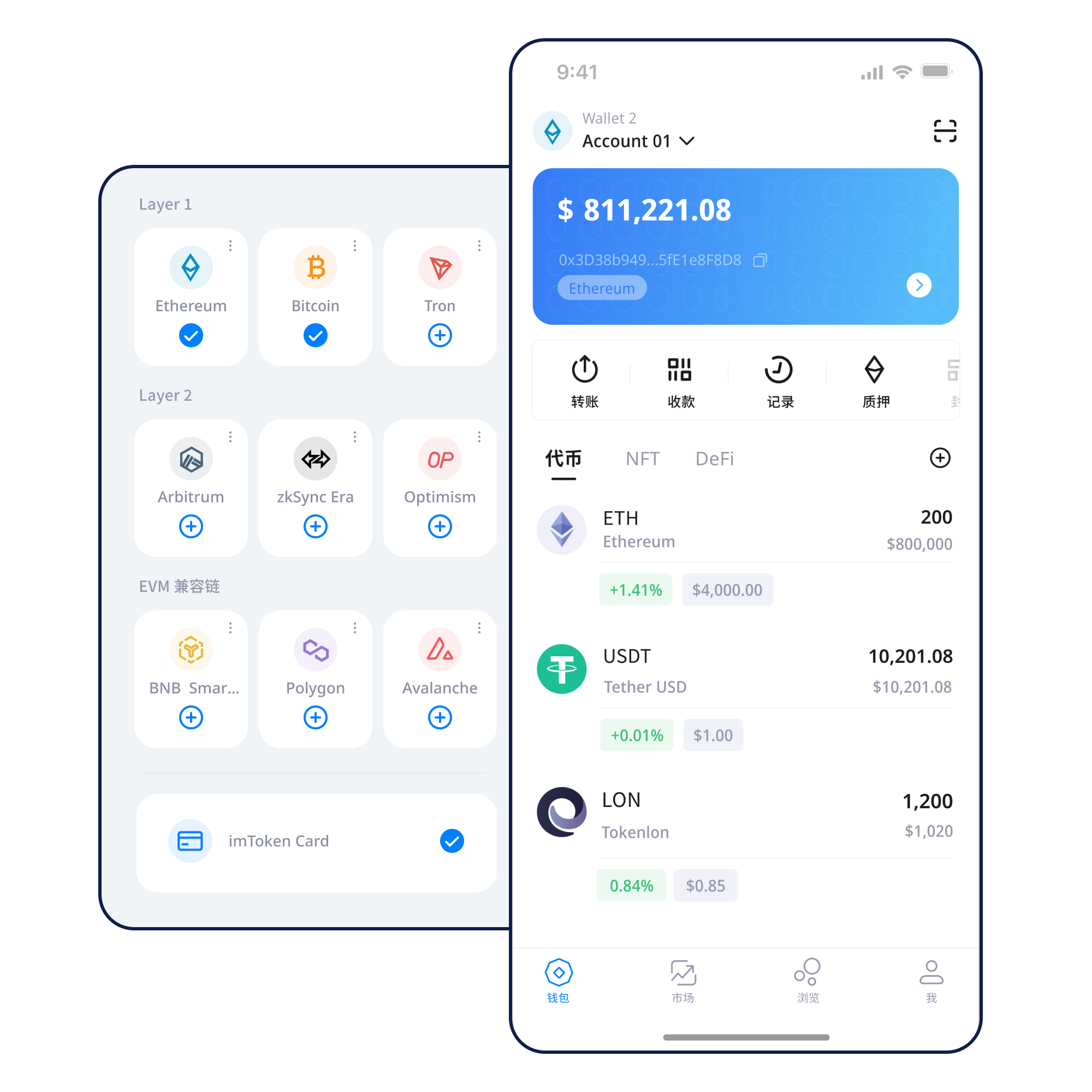
Understand addresses, seed phrases and private keys before creating a new wallet.
View steps →Store the seed phrase offline and confirm the backup is complete, readable and private.
View steps →Before sharing an address, confirm that both sides are using the same network and asset.
View steps →Verify address, network, amount and gas before submitting, then keep the transaction hash.
View steps →Verify the domain first, then review account access, signatures and later approvals.
View steps →Wallet capabilities
Each capability is presented around the decisions and safety boundaries that matter in real use.
When reviewing assets across networks, verify the network first, then the address, token contract and confirmation state. Matching token names do not prove that the assets are the same.
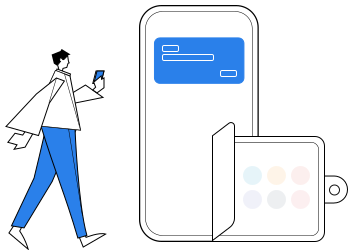
The mobile app supports network management, asset review, transaction history and DApp use. Recheck the active network and request details before submitting.
Explore the App →Use a consistent review order for address, network, amount, gas and transaction hash.
Read transfer guide →Browser connections support DApp access and account requests. Continue reviewing every signature and approval separately.
Understand web connections →Seed phrases, private keys and approval management require ongoing habits, not a one-time setup.
Network explorer
Public chains, EVM, Layer 2 and gas together define the environment for addresses, fees, confirmations and contract interactions.
Multi-chain
A multi-chain wallet can organize several networks in one place, while assets, gas and transaction history remain separate on each chain.
Before acting, verify the network name, address format, gas asset and transaction destination. Cross-layer or cross-chain moves also require understanding the bridge path and final destination network.
Learn more →Public Chains
Public chains use distributed nodes to maintain shared ledgers. Blocks, confirmations and explorers help verify whether activity reached the intended network.
Before acting, verify the network name, address format, gas asset and transaction destination. Cross-layer or cross-chain moves also require understanding the bridge path and final destination network.
Learn more →
EVM
EVM-compatible networks may share address formats, but network IDs, gas assets and contract deployments can differ.
Before acting, verify the network name, address format, gas asset and transaction destination. Cross-layer or cross-chain moves also require understanding the bridge path and final destination network.
Learn more →
Layer 2
Layer 2 systems process more activity away from the base layer and settle or publish data back through different mechanisms.
Before acting, verify the network name, address format, gas asset and transaction destination. Cross-layer or cross-chain moves also require understanding the bridge path and final destination network.
Learn more →
Gas & Confirmations
Gas represents the network cost of submitting an action, while confirmations describe how deeply a transaction sits beneath subsequent blocks.
Before acting, verify the network name, address format, gas asset and transaction destination. Cross-layer or cross-chain moves also require understanding the bridge path and final destination network.
Learn more →Wallet journey
Use the site download entry and avoid installing wallet software from unfamiliar sources.
When creating or importing, make sure you understand what the seed phrase and private key control.
Store the seed phrase offline. Do not screenshot it, upload it to cloud storage or disclose a private key.
Before receiving, sending or using a DApp, confirm the asset and destination are on the intended network.
Verify the address, network, amount and gas. A small test can help when using a new path.
Use the transaction hash to check on-chain status and periodically review DApp approvals you no longer need.
Web3 & DApp
Connecting a wallet does not mean every signature should be accepted. Review the source, account scope, asset impact and allowance for each signature or approval.
Open the Web3 guide →Security
Wallet security is not completed by enabling one feature. Keep seed phrases and private keys under your own custody; official staff will never ask for them. Verify address, network and amount before transfers; inspect DApp signatures and approval scope; consider revoking permissions you no longer use. Public devices, public networks, remote-control tools and unknown browser extensions can all increase risk.
Open Security Center →Academy
Start with addresses and why seed phrases and private keys are sensitive, then learn networks, gas and transaction hashes. With those foundations, DApp connections, signatures, token approvals and security decisions become easier to evaluate.
Read the getting-started guide →Understand blocks, nodes and confirmation depth.
Learn addresses, gas and contract calls.
Understand base-layer relationships and cross-layer transfers.
Turn permission review into an ongoing habit.
Ethereum & PoS
Ethereum PoS relies on validators for proposals and attestations. Rewards come from protocol rules and network activity, outcomes can change with network conditions, and exits follow network-defined processes that may involve waiting.
Learn about Ethereum staking →Staking does not guarantee returns, and rewards can change.
Understand PoS and validators →Product & security updates
Use the site download entry and avoid installation files from unverified sources.
Matching address formats or asset names do not mean the network is the same.
Official staff will never ask for seed phrases, private keys or verification codes.
Check the spender, allowance and network, and consider revoking permissions you no longer need.
FAQ
A seed phrase is commonly used to restore wallet control. Keep it under your own custody, preferably offline, and never enter it into an unfamiliar website or send it to another person.
A private key typically controls a specific account, while a seed phrase can derive multiple accounts. Both are highly sensitive and can grant control over assets.
The same asset name can exist on different networks. Sender and recipient should agree on the same network before a transfer.
Gas is the network-fee mechanism for consuming blockchain resources. Fee models, fee assets and congestion differ by network.
A transaction hash is a unique identifier that can be checked on the correct block explorer for status, blocks, addresses and contract calls.
Confirm the network and transaction hash, then check the relevant block explorer. Congestion, fee settings or node synchronization may affect how quickly an interface updates.
No. A connection usually creates an account interaction channel. Signatures, transactions and token approvals still require separate review.
No. Some signatures are simple login proofs, while others can authorize actions or affect assets. Review the source, content and request type.
Verify the source before downloading, and review the network, address and request details before acting.